If your GAOMON tablet stays completely black when pressing the power button and the indicator light does not turn on, follow these steps:
- Step 1: Check Cable Connections
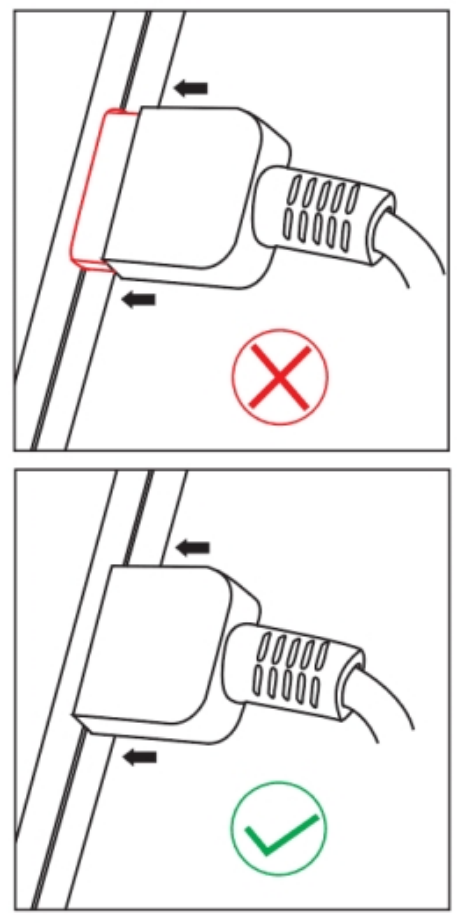
- Ensure the USB cable is firmly plugged into the GAOMON tablet.
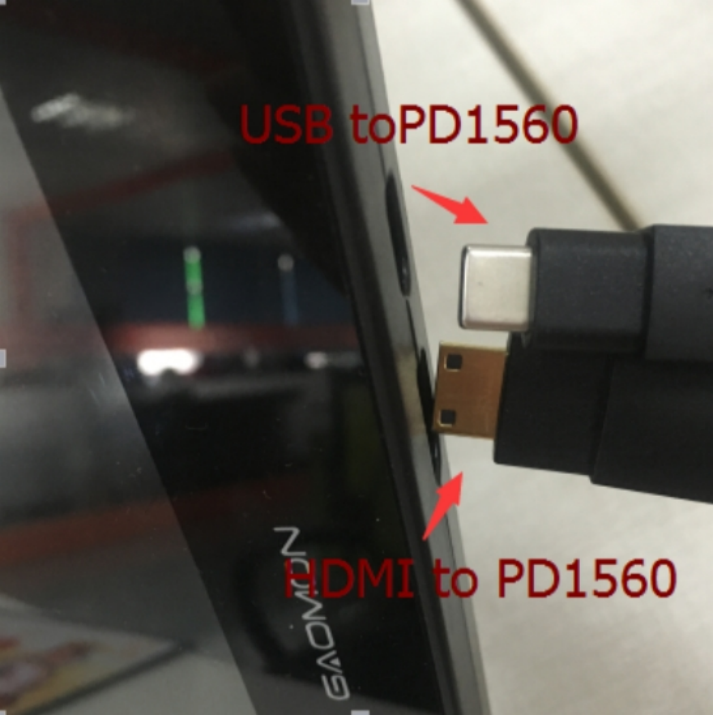
- Push it in all the way — it may require extra force to seat properly.
- Confirm the power cable is securely connected to both the tablet and the power source.
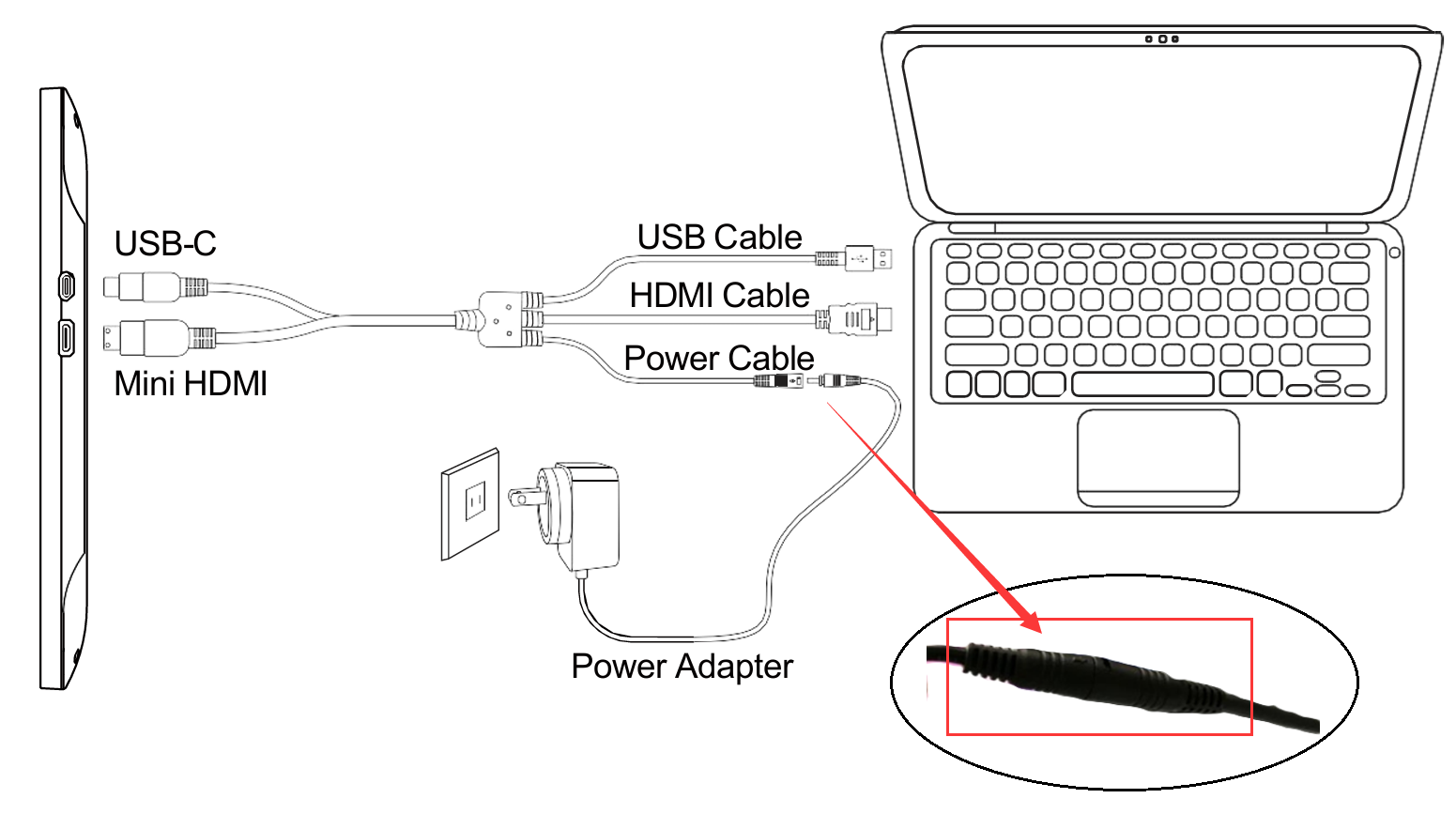
- Ensure the USB cable is firmly plugged into the GAOMON tablet.
- Step 2: Test the Power Source
- Try plugging the power adapter into a different wall socket.
- Avoid using extension cords or hubs during troubleshooting.
- Step 3: Verify HDMI Setup
- If your computer does not have an HDMI port, you’ll need an HDMI adapter to connect.
- On a desktop PC, make sure the HDMI cable is connected to the graphics card, not the motherboard.

- Step 4: Rule Out Computer Issues
- If the tablet still won’t power on, connect it to another computer that has a native HDMI port.
- This helps confirm whether the issue is with the tablet or your computer setup.
Quick Checklist
- [ ] USB cable fully inserted into the tablet
- [ ] Power cable connected and tested with another socket
- [ ] HDMI cable connected to graphics card (desktop)
- [ ] Tested with another HDMI‑enabled computer
Still Having Issues?
If none of the above steps resolve the problem, please contact GAOMON Support at service@gaomon.net with details of your setup (computer type, operating system, cables/adapters used).
Was this article helpful?
That’s Great!
Thank you for your feedback
Sorry! We couldn't be helpful
Thank you for your feedback
Feedback sent
We appreciate your effort and will try to fix the article