If you have met issues like “no response on the pen display” or “a flashing screen”, etc. Please try to connect the PD1320/PD1220 correctly as follows:
Connection Method 1:
Step 1: Connect the pen display to the PC with the HDMI cable.
Step 2: Connect the pen display to the PC with the Type-C male plug inserted into the pen display, and the USB-A male plug inserted into the computer. (The red USB-A male plug is for the power supply.)
Note: If there is no response on the pen display or a flashing screen occurs, the other USB-A male plug left shall also be inserted into the PC or a power adapter, and please make sure there are two USB-A ports on the PC.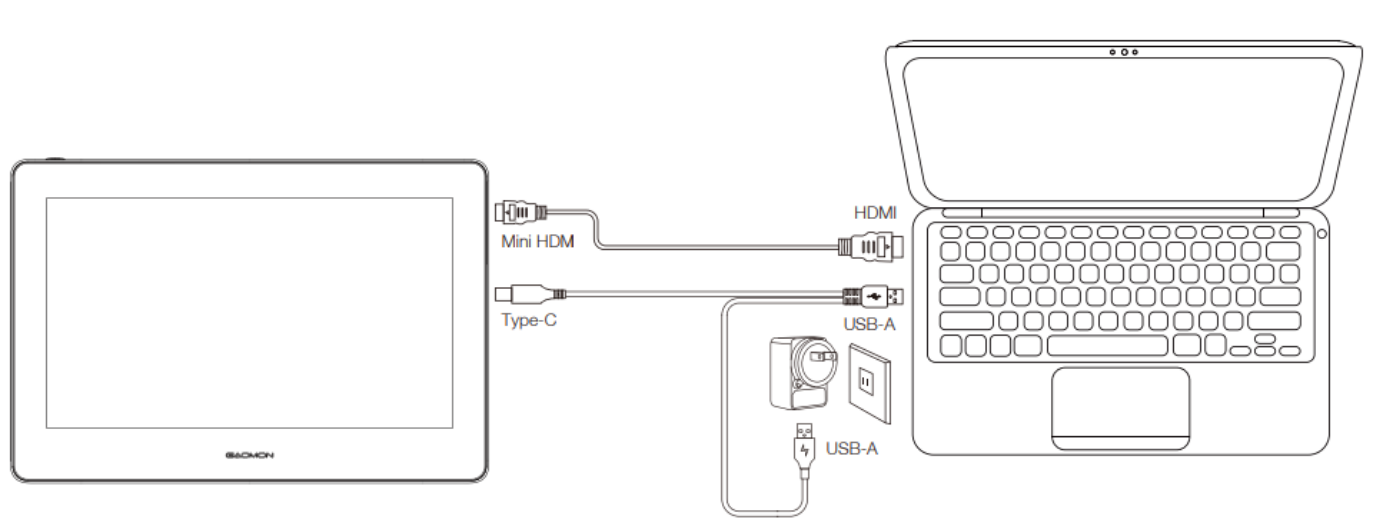
Please note that if your computer has no HDMI port, check which port it has, such as VGA, DVI, DP, Type-C, etc. You may need to buy a one-to-one VGA, DVI, DP, Type-C, etc. to HDMI adapter to convert the video signal.
Connection Method 2:
Step 1: Buy a Full-featured Type-C to Type-C cable (not included in the package, need to buy separately);
Step 2: Connect the pen display (either Type-C port works) to the PC using the full-featured Type-C to Type-C cable.
Note: Please make sure the computer's Type-C ports support USB 3.1 and DP1.2 protocol.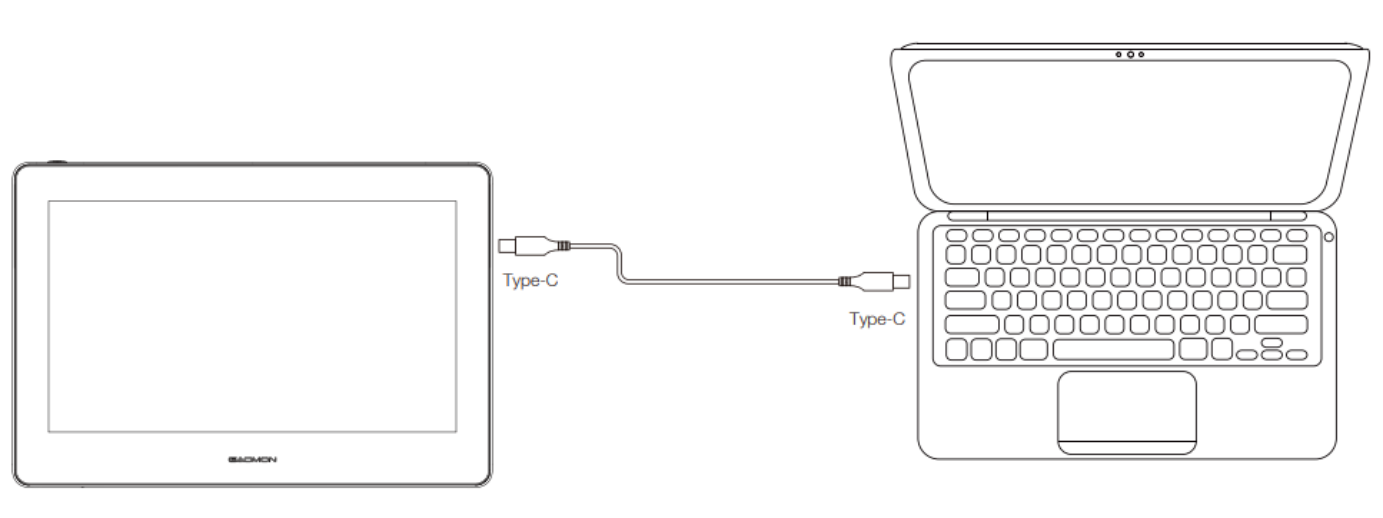
Was this article helpful?
That’s Great!
Thank you for your feedback
Sorry! We couldn't be helpful
Thank you for your feedback
Feedback sent
We appreciate your effort and will try to fix the article