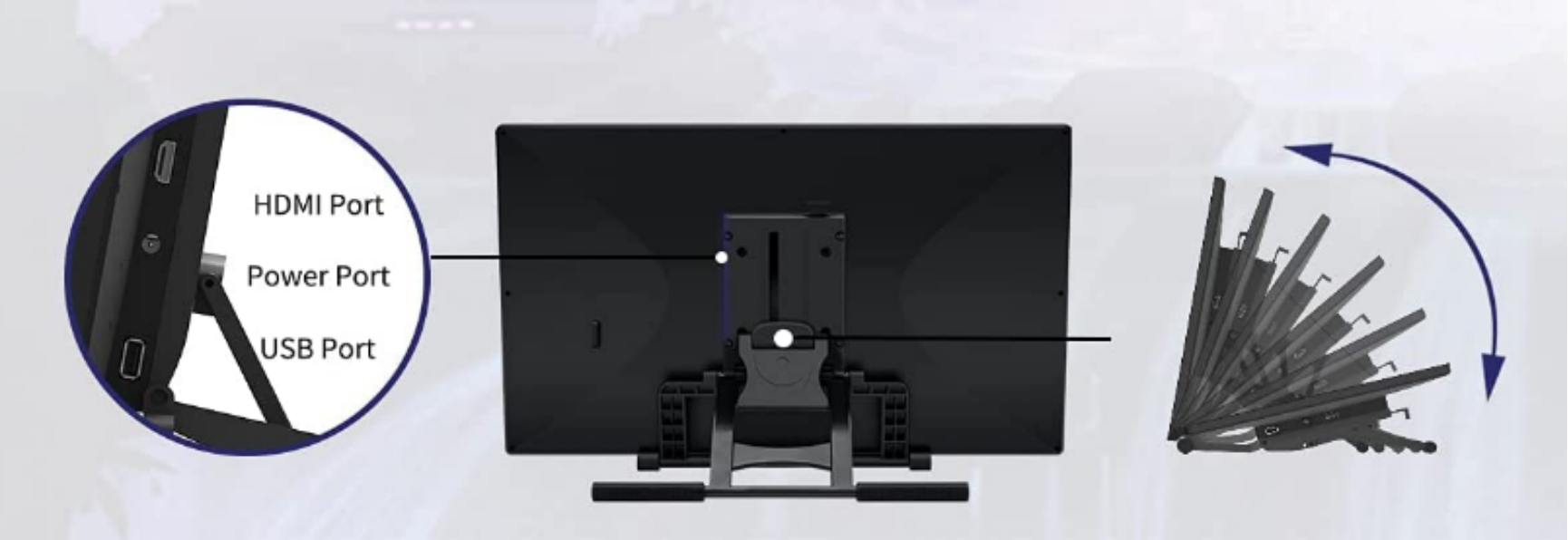
To ensure your PD2200 works correctly, please check that the USB cable, HDMI cable, and power cable are all securely connected.
For Desktop Users
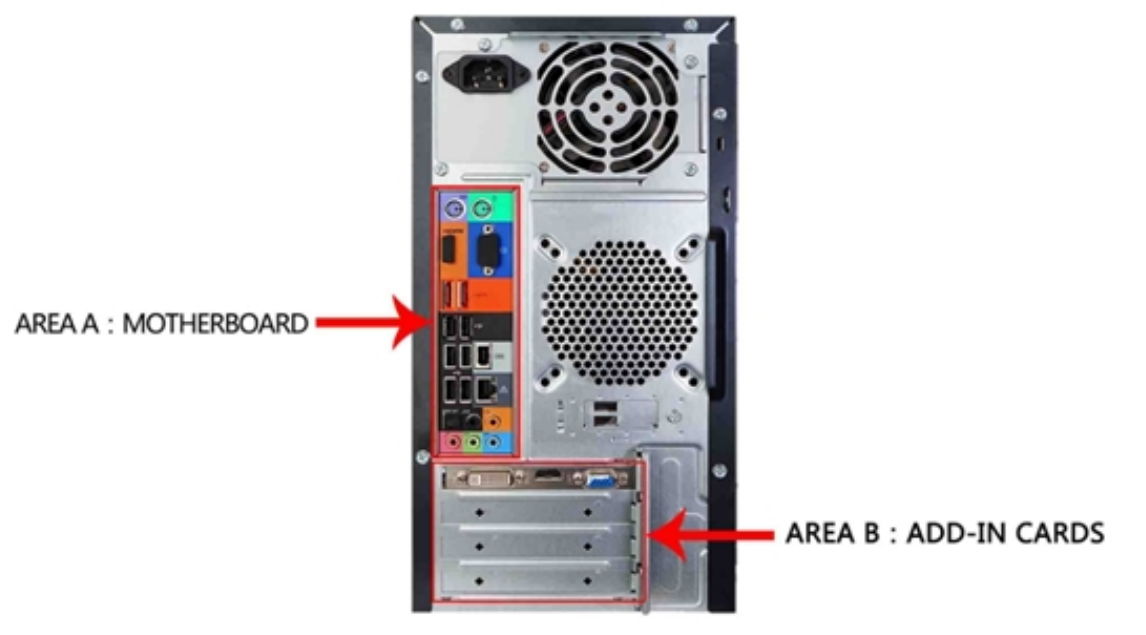
If you are using a desktop computer, make sure the HDMI cable is plugged into your graphics card, not the motherboard.
- The HDMI port on the graphics card (Area B) should be used.
- Do not plug the HDMI cable into the motherboard (Area A), as this may prevent the display from working correctly.
If Your Computer Has No HDMI Port
Some laptops or desktops may not include an HDMI port. In this case:
- Check which video output ports your computer has — such as VGA, DVI, DP (DisplayPort), or Type‑C.
- You may need to purchase a matching adapter (e.g., VGA‑to‑HDMI, DVI‑to‑HDMI, DP‑to‑HDMI, Type‑C‑to‑HDMI) to convert the video signal for use with the PD2200.
- Please note that HDMI‑to‑USB‑A adapters will not work, as almost all USB‑A ports cannot output a display signal.
Was this article helpful?
That’s Great!
Thank you for your feedback
Sorry! We couldn't be helpful
Thank you for your feedback
Feedback sent
We appreciate your effort and will try to fix the article