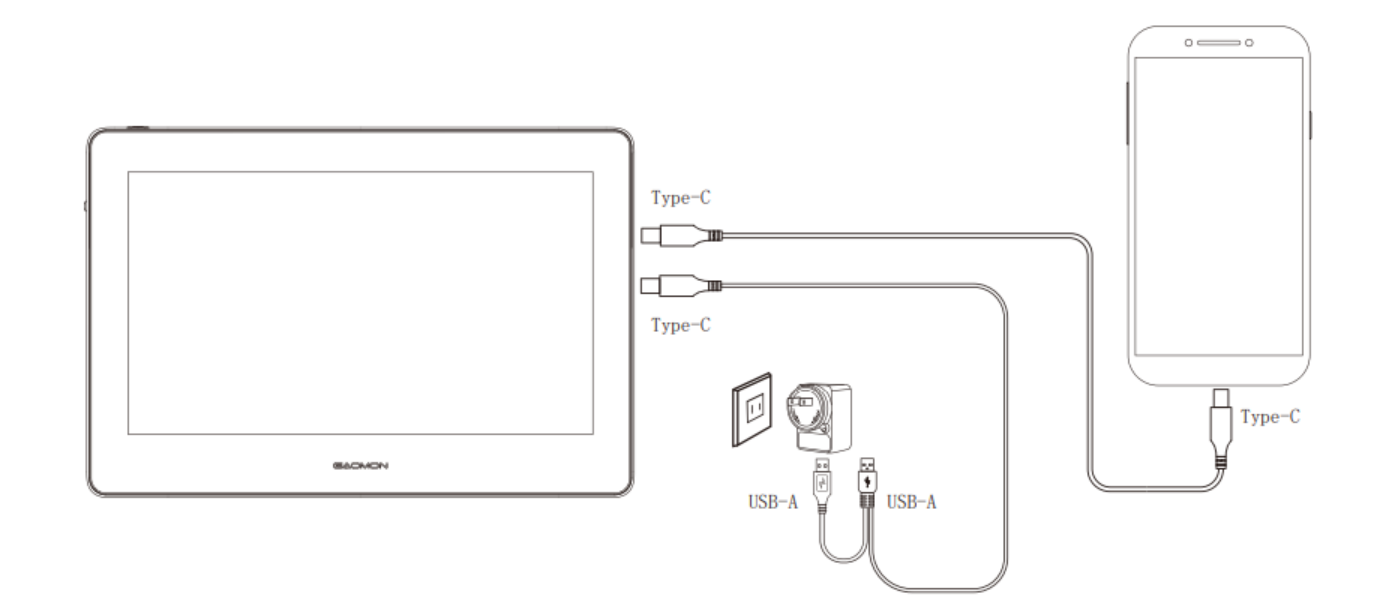
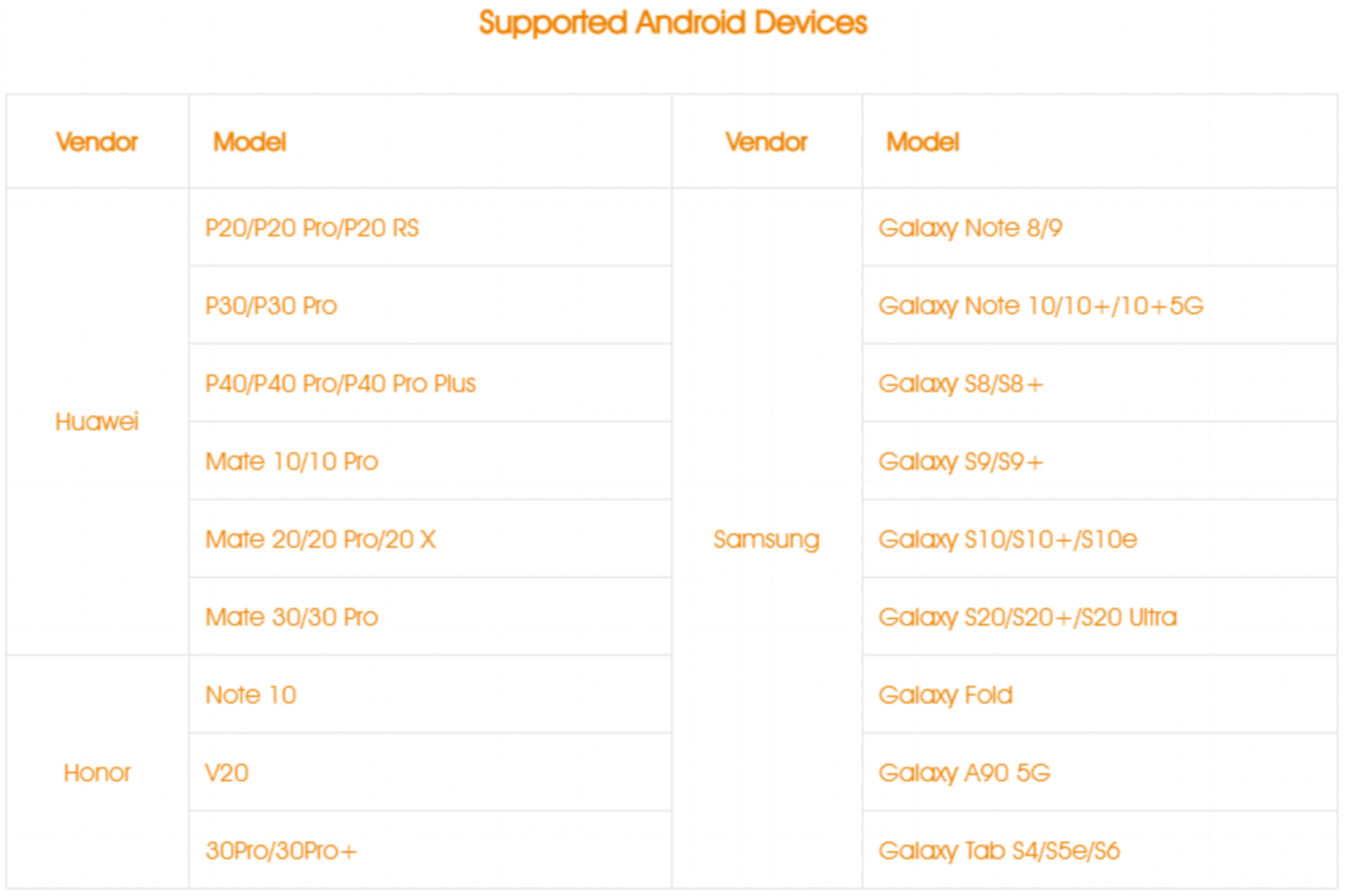
Connection with Android phones that support "Dex", "Desktop", or "TNT" mode.
Step 1: Buy a Full-featured Type-C to Type-C cable (not included in the package).
Step 2: Connect the pen display to the Android phone with a Type-C to Type-C cable.
Note: If there is no response on the screen or the screen flashes, it is suggested to reconnect the cable and connect a power adapter to the other Type-C port on the device to ensure sufficient power is supplied to the tablet. For phone charging, a PD-compatible charger is recommended.
Was this article helpful?
That’s Great!
Thank you for your feedback
Sorry! We couldn't be helpful
Thank you for your feedback
Feedback sent
We appreciate your effort and will try to fix the article