If your GAOMON PD1220 or PD1320 shows the yellow GAOMON logo → “No Signal” → “Power Saving” → black screen with the indicator light turning yellow or red, follow these steps:
- Step 1: Check Power and Cable Connections
- Ensure the red side of the power cable is connected to the AC power plug.
- Connect the black USB side to your computer.
- Confirm that all cables are firmly inserted.
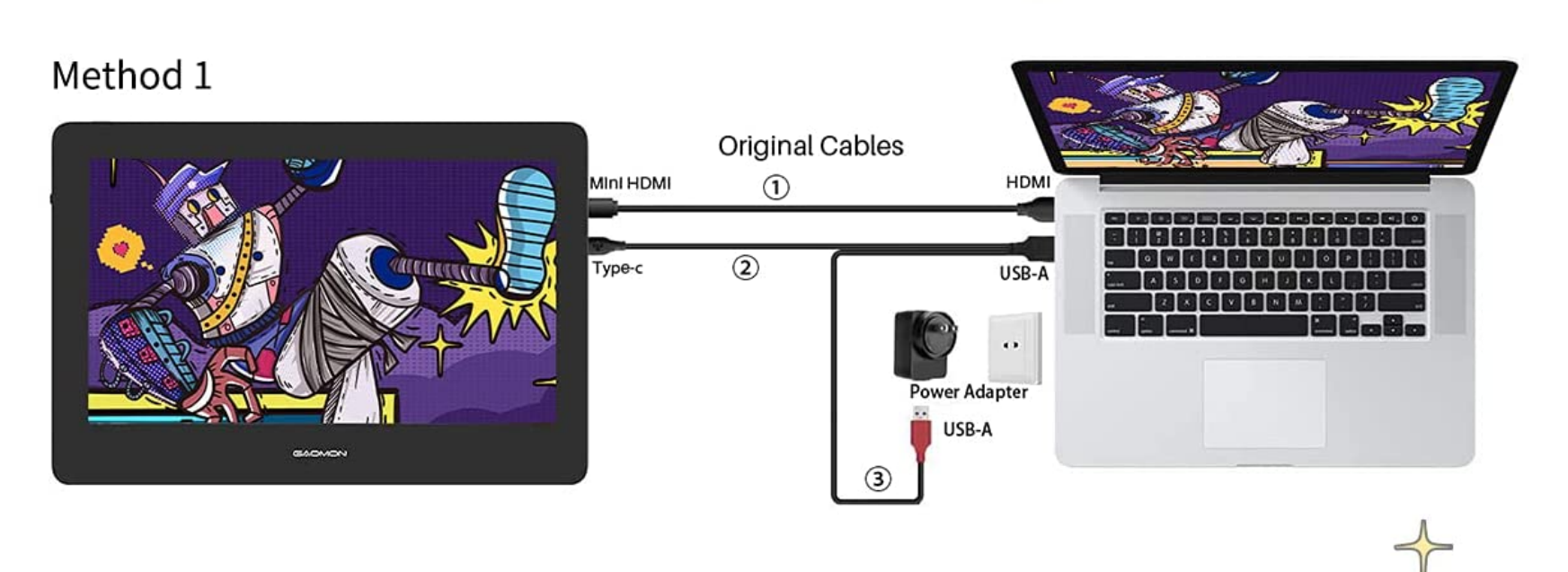
- Step 2: Verify HDMI Connection
- If your computer does not have an HDMI port but you want to connect two monitors, you’ll need an HDMI adapter.
- See the guide: Precautions for Using HDMI Adapter.
- On a desktop PC, make sure the HDMI cable is plugged into the dedicated graphics card, not the motherboard, if it has one.
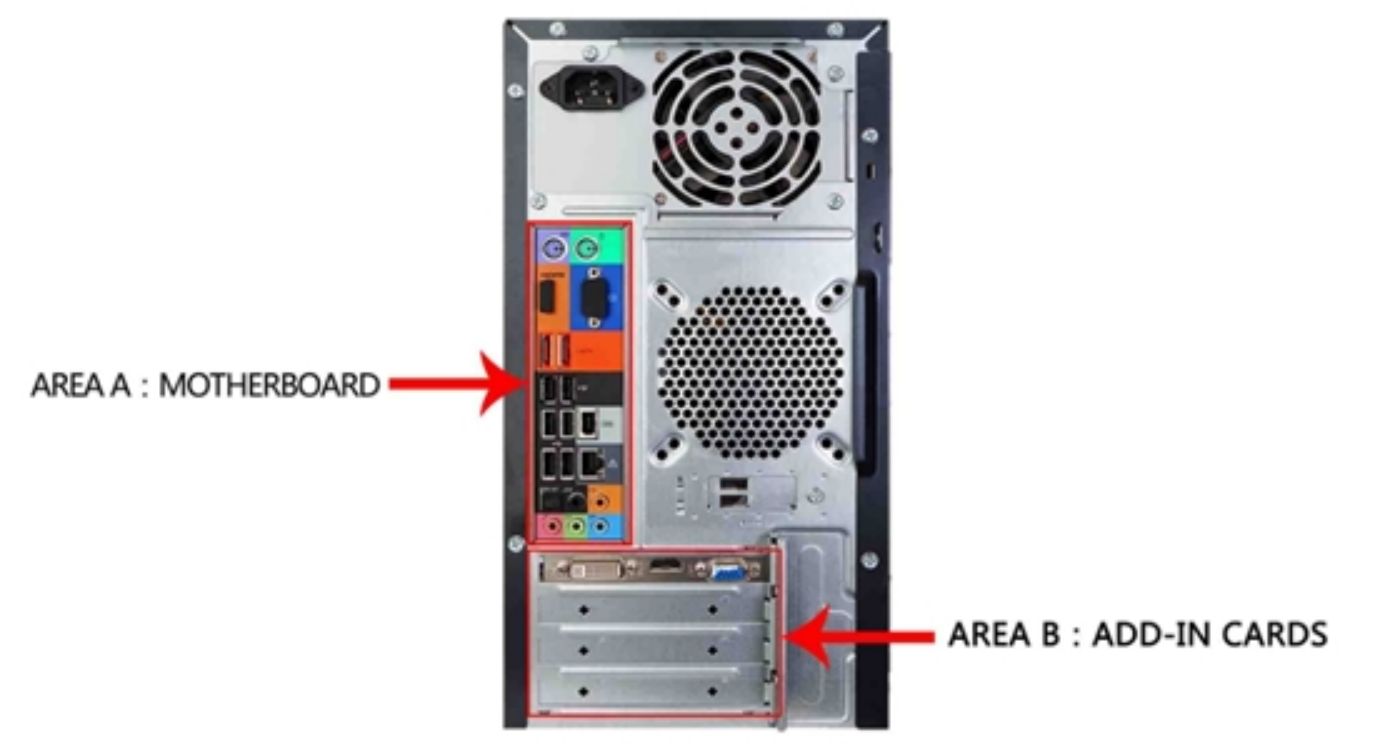
- Step 3: Adjust Display Settings (Windows Only)
- Press Windows + P on your keyboard.
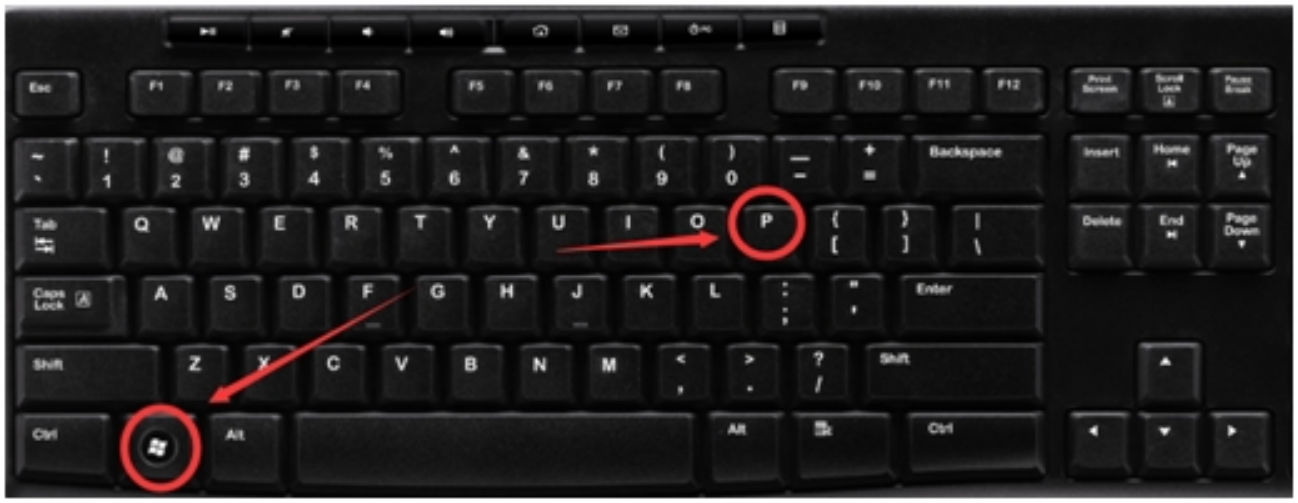
- Select Duplicate or Extend mode.
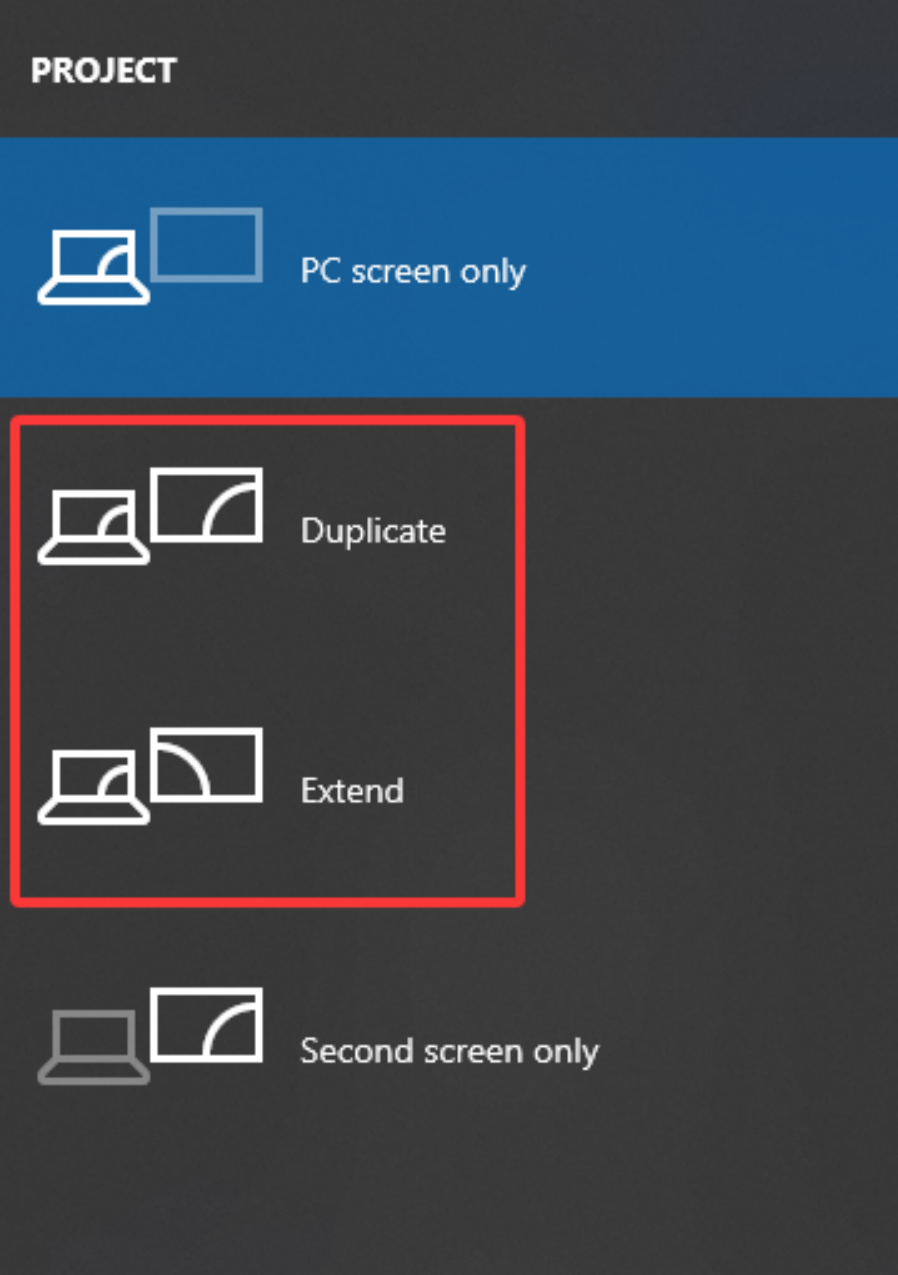
- Do not choose “PC screen only” or “Second screen only,” as these will cause a no signal error.
- Press Windows + P on your keyboard.
- Step 4: Test with Another Computer
- If the issue persists, try connecting your GAOMON device to another computer that has a native HDMI port.
- This helps confirm whether the problem is with the tablet or your computer setup.
Quick Checklist
- Power cable: red side → AC plug
- USB cable: black side → computer
- HDMI cable: connected to graphics card (if using a desktop)
- Display mode: Duplicate/Extend (Windows) or Mirror/Extend (Mac)
- Tested with another HDMI‑enabled computer
Still Having Issues?
If none of the above resolves the problem, please contact GAOMON Support at service@gaomon.net with details of your setup (computer type, operating system, cables/adapters used).
Was this article helpful?
That’s Great!
Thank you for your feedback
Sorry! We couldn't be helpful
Thank you for your feedback
Feedback sent
We appreciate your effort and will try to fix the article