You can follow the steps to adjust your screen resolution.
Windows:
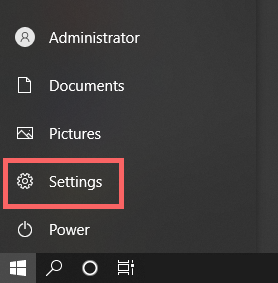
1. Open "Setting" in the Windows start menu.
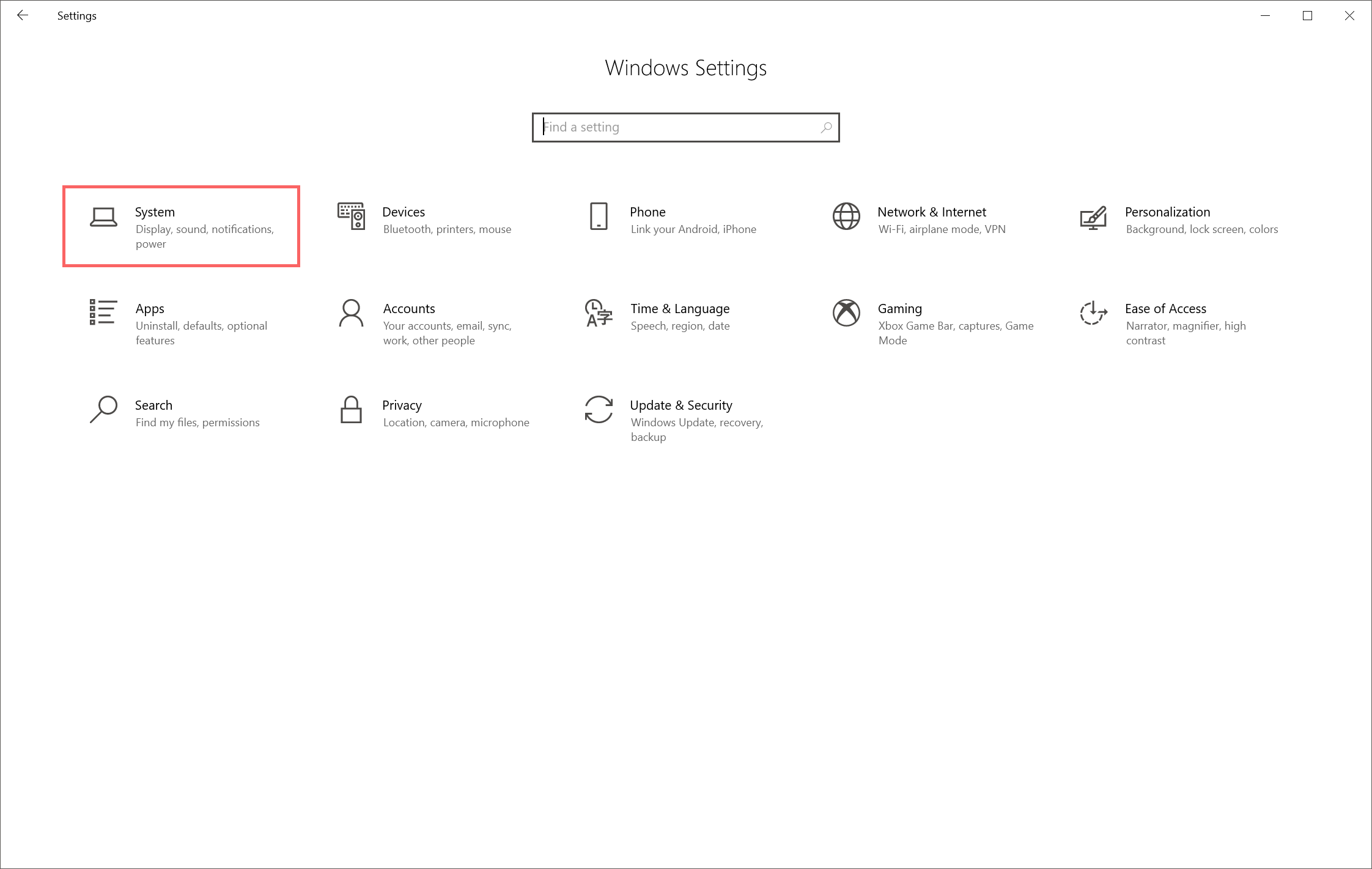
2. Open "System" and find "Display" on the left side, then select the Gaomon pen display that you want to adjust.
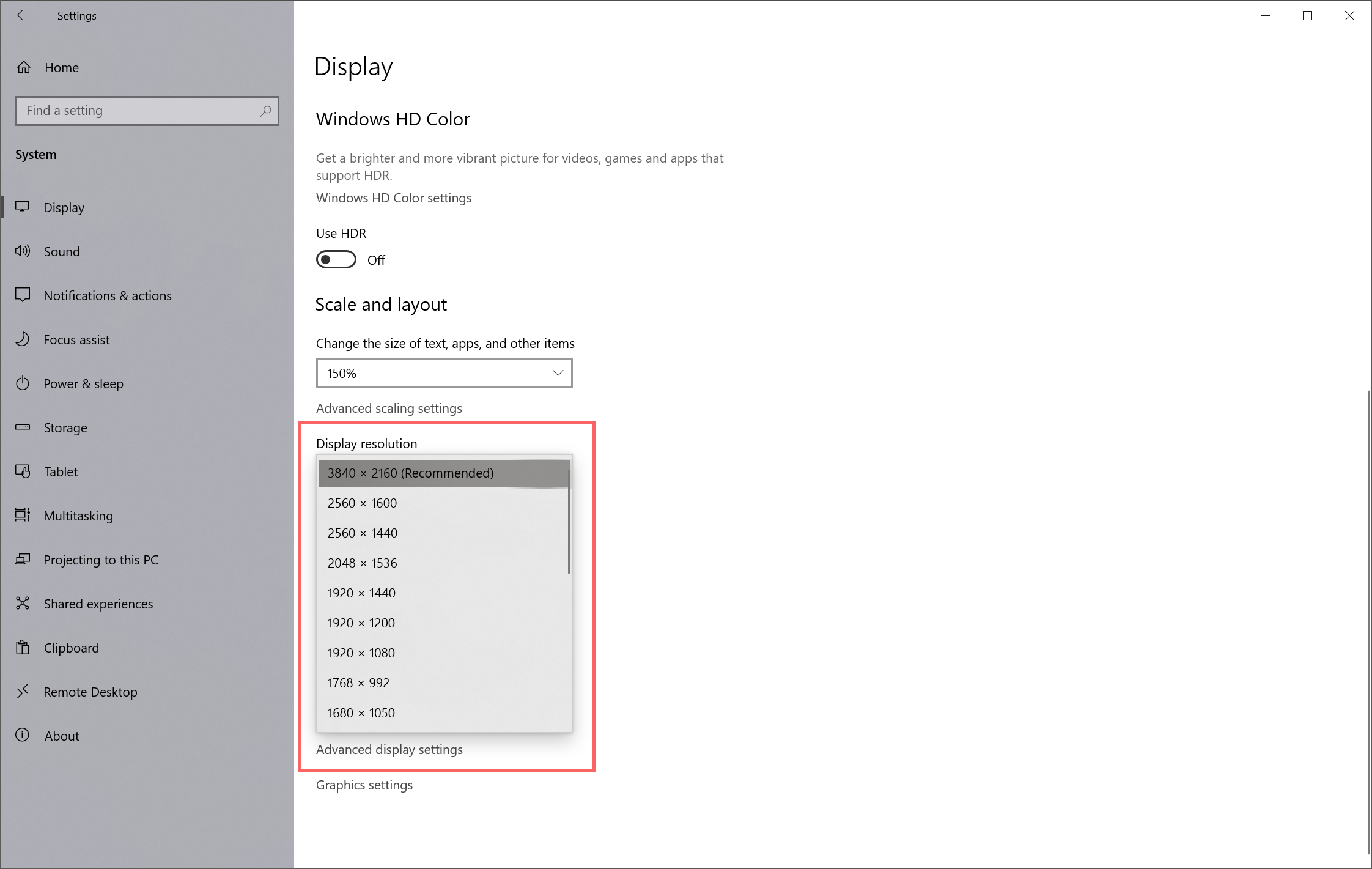
3. Find "Display Resolution" on the right side. click and set up the resolution you want.
Mac:
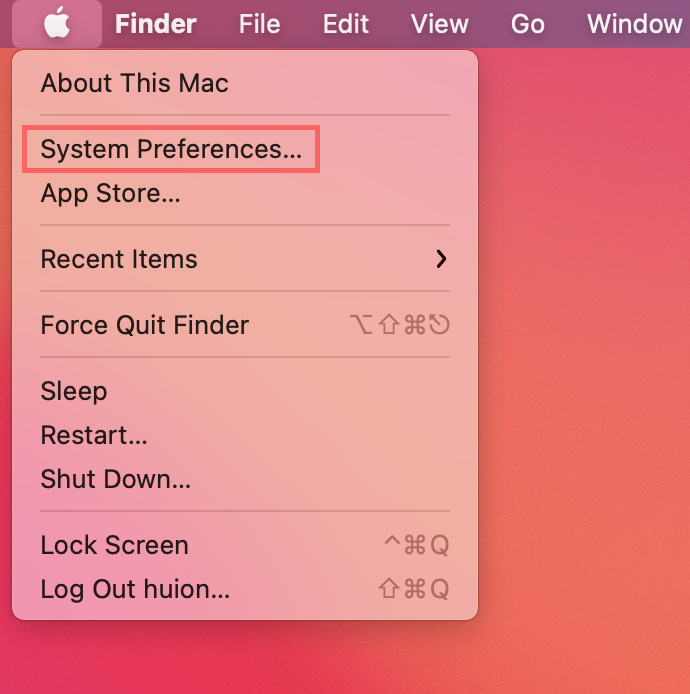
1. Open "System Preferences" in the Apple menu.
2. Find and open "Displays"
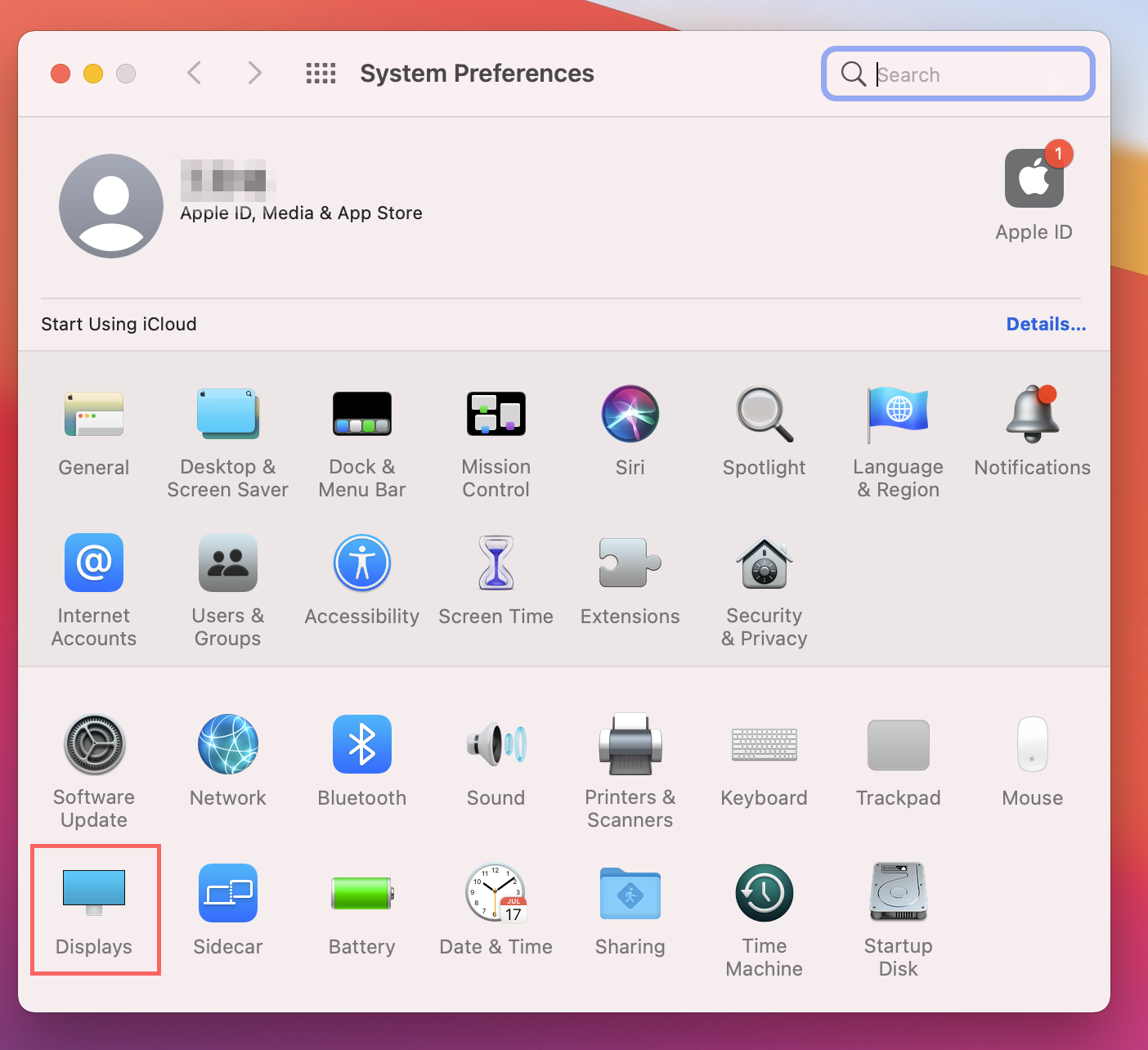
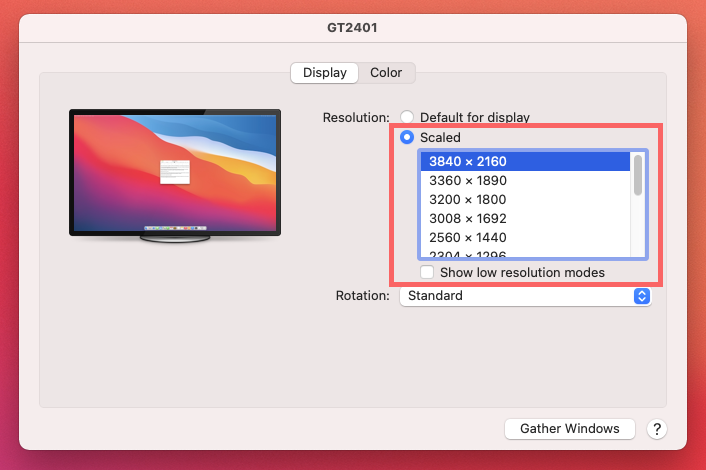
3. Hold the "Option" Key, and left-click on "Scaled" to open the hidden menu to adjust the resolution you want.
Was this article helpful?
That’s Great!
Thank you for your feedback
Sorry! We couldn't be helpful
Thank you for your feedback
Feedback sent
We appreciate your effort and will try to fix the article